




Xhorse MQB48 Adapter for VVDI MLB Tool
🔧 Recommended: For best performance, use with a PC instead of a tablet device.
Overview:
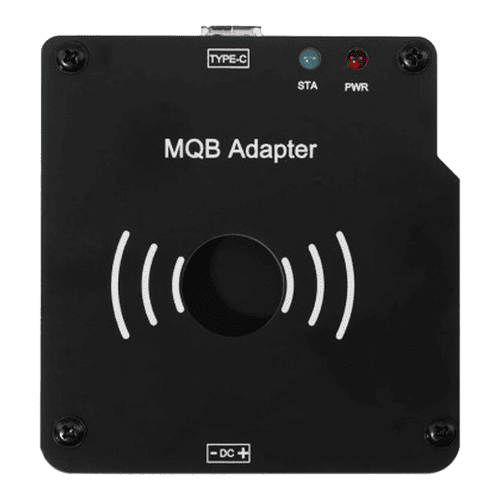
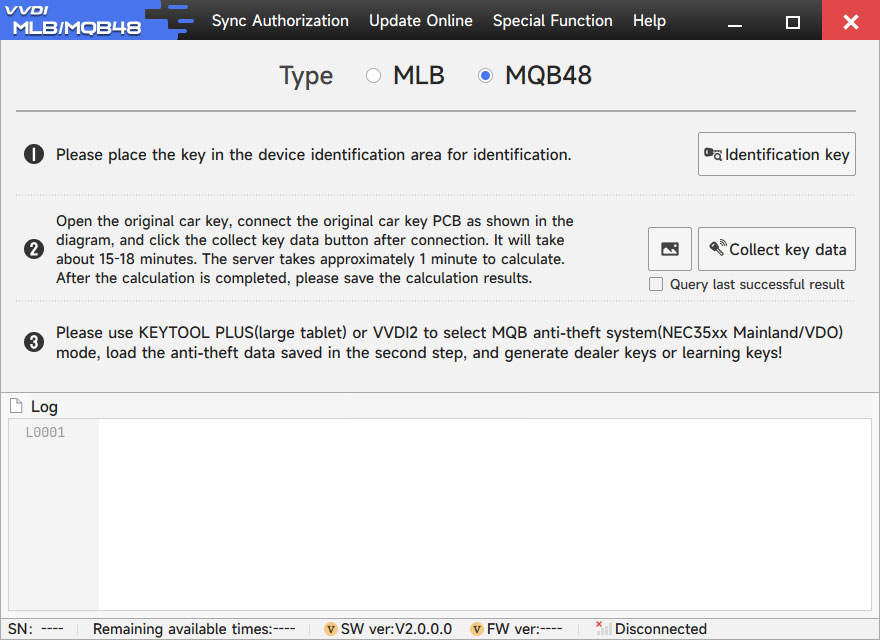
The MQB48 Adapter is designed to work with the VVDI MLB Tool, enabling key data extraction and programming for MQB48 Megamos AES systems — without the need to disassemble the instrument cluster.
Key Benefits:
-
✅ No need to remove the instrument panel
-
✅ Simplified data reading and key programming process
-
✅ No token points required for MQB48 operations
-
✅ Similar usage process as the MLB system: open the key shell, read data, and add new keys
-
✅ Reads IMMO data (CS code) directly from the working key
-
✅ Eliminates the need to access or remove the cluster
Performance & Power Requirements:
Data Collection Time:
-
⚡ Good power supply:
→ ~15 minutes to collect data
→ ~1 minute to calculate IMMO data -
⚠️ Average/unstable power supply:
→ 30–60 minutes for data collection
→ ~1 minute for calculation
⚠️ Tablets with a single Type-C port may have poor power stability, leading to slower collection and lower success rates.
✅ Using a computer is highly recommended.
Connection Guide:
How to Connect MQB48 Adapter to VVDI MLB Tool:
-
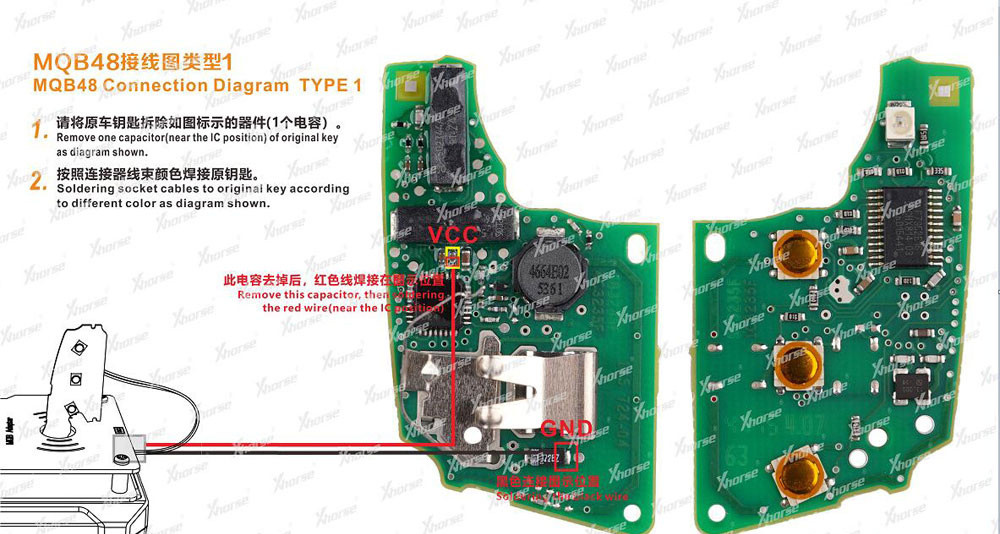
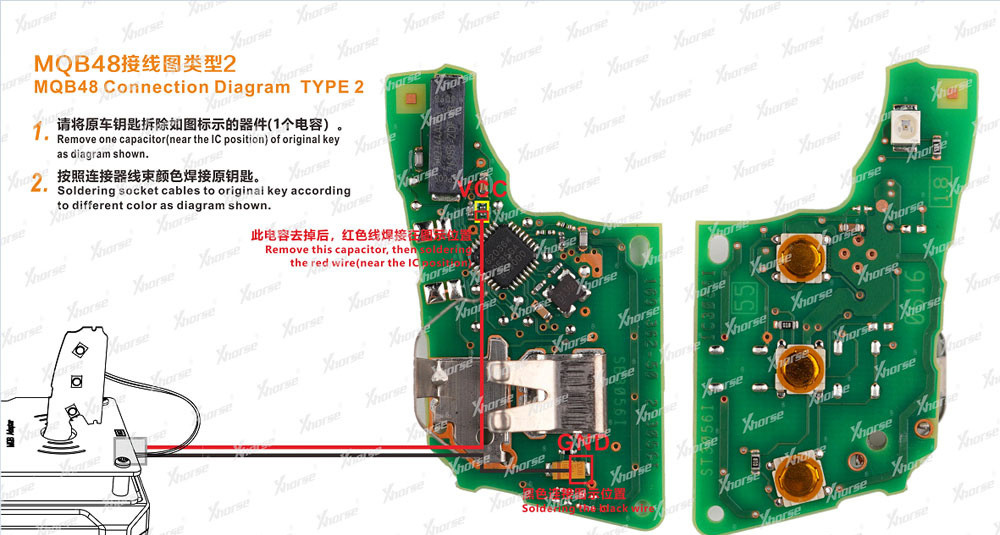
Remove one capacitor from the key PCB
-
Solder the socket wires according to the wiring diagram
-
Follow the color-coded guide provided for accurate connection

Using the Adapter with VVDI Devices:
✅ With VVDI2:
-
Use the MLB Tool + MQB Adapter to extract IMMO data from the MQB48 key
-
Load the saved IMMO file into VVDI2 to generate and program the new key
(Note: VVDI2 must have the MQB feature activated — no need for MQB48 NEC35XX unlock function)
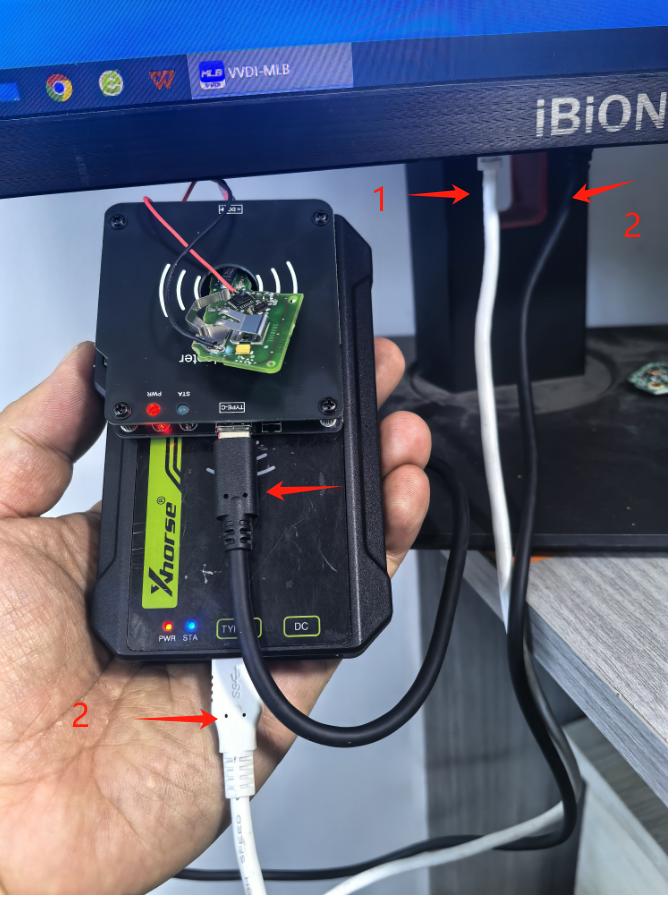
💡 Use two USB cables to ensure stable data transfer.
✅ With Key Tool Plus / Key Tool Midi:
-
Connect the tablet directly to the MLB Tool + MQB Adapter
-
Read IMMO data and program the new key
(Tablet must be authorized for 4th-generation key programming — MQB48 NEC35XX unlock is not required)

Connection Tips:
-
Use a Type-C splitter for better power handling
-
For higher success rates, supply external power via OBD or connect the tablet to the vehicle during use
-
Again: Tablets with a single Type-C port are not recommended due to power limitations
Package Contents:
-
✅ 1 × XHORSE XDMQBAGL MQB Adapter